
How Photo Restoration Works?
A simple, secure, and fully online process to bring your old photos back to life.
No shipping. No complicated tools. Just upload and we handle the rest.
The process is designed to be as easy as possible, so anyone can restore their memories without technical knowledge or physical mailing. You start by uploading your old or damaged photos directly through our secure system. This can be scanned prints, phone photos of old albums, or even heavily damaged images—whatever you have, we can work with.
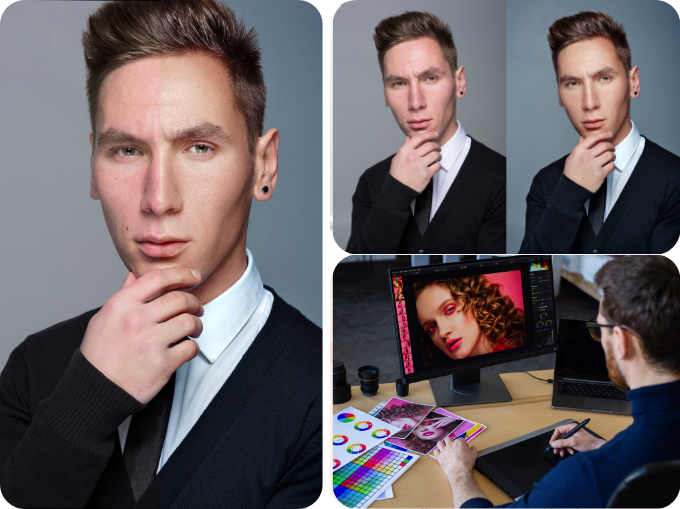
Once uploaded, your photos are reviewed and carefully restored by hand. Each image is treated individually, where damage such as fading, scratches, tears, stains, and discoloration is corrected with precision and attention to detail. The goal is not to change the photo, but to bring it back to how it originally looked—or as close as possible.
After restoration is complete, you receive your enhanced images digitally in high resolution, ready to download, print, or share with family. Everything stays simple, fast, and fully online from start to finish—while your memories are preserved with care.
OVERVIEW
A simple process built for meaningful memories
Restoring old photos should feel easy and transparent—not technical, confusing, or stressful. These are personal memories, and the process of bringing them back should reflect that.
Our system is designed to keep everything straightforward from start to finish, so you always know what’s happening and what to expect.
Our process is designed to be:
Simple to start
No software, no learning curve. Just upload your photos and you’re ready to begin.
Fully Online
Everything is done digitally—no shipping, no physical handling, and no delays.
Secure and Private
Your images are processed in a protected environment and are never shared or reused.
Handled with Professional Care
Each photo is reviewed and restored manually with attention to detail and respect for the original moment.
You upload. We review. We restore.
STEP-BY-STEP PROCESS
Step 1 — Upload Your Photo
Select the photo you want restored.
You can upload:
- old printed photos (scanned or photographed)
- faded or damaged images
- black & white or color photos
- low-resolution digital copies
Once uploaded, your image is securely stored and placed in the review queue.
Step 2 — Choose Your Restoration Level
You can select the level of restoration based on your photo’s condition:
- Light Restoration — minor cleanup, color correction, small fixes
- Medium Restoration — scratches, fading, moderate damage
- Advanced Restoration — heavy damage, tears, missing detail
- Full Reconstruction — severe damage or partial image recovery
If you are unsure, you can proceed with your best estimate and adjust after review if needed.
Step 3 — Professional Review
After upload, your photo is carefully reviewed by a restoration specialist.
This review is used to:
- assess the type and level of damage
- identify what can be realistically restored
- confirm the most suitable restoration level
- estimate turnaround time
If a photo falls between two restoration levels, we will clearly outline the differences between the options and recommend the most appropriate direction based on your desired outcome.
In some cases, this may involve:
- suggesting optional add-ons to achieve a more complete result, or
- adjusting the scope of work to align with a lower restoration level if a simpler approach better fits your needs
You will always see the available options clearly before any restoration work begins, and the final decision remains yours.
Step 4 — Manual Restoration Work
Your photo is restored manually with attention to detail and visual accuracy.
Restoration may include:
- scratch and dust removal
- fading and color correction
- facial detail reconstruction
- background cleanup
- damage repair and reconstruction
The goal is to restore the photo as naturally and accurately as possible.
Step 5 — Quality Review
Once restoration is completed, the original photo restoration is carefully reviewed for accuracy and consistency.
This includes checking:
- detail accuracy
- natural appearance
- color balance and tone
- overall visual quality
If small refinements are needed, they are completed before final delivery to ensure the result remains true to the original photo’s character.
Step 6 — Delivery
Your restored photo is delivered digitally in high resolution.
You will receive:
- restored image file
- optional before/after comparison
- secure download access
No physical shipping is required.
TURNAROUND TIMES
Depending on complexity and queue volume:
Express (24–48 hours)
priority processing
Standard (3–5 days)
most common option

Complex restorations
may require additional time depending on damage level
HOW TO GET THE BEST RESULTS
Recommended scanning settings
For best restoration quality, upload the highest quality file available.
If scanning a printed photo:
- Resolution: 600 DPI recommended (300 DPI minimum)
- File format: PNG or high-quality JPG
- Color mode: RGB (color) or grayscale (B&W)
- Avoid compression or resizing after scanning
If you don’t have a scanner
You can photograph the photo using your phone:
- Place photo on a flat, evenly lit surface
- Avoid shadows, glare, or reflections
- Take the photo directly from above
- Ensure full focus and sharpness
- Use highest camera resolution available
Before uploading
- Upload the original file whenever possible
- Avoid screenshots or compressed messaging apps
- Do not apply filters or enhancements
- Upload multiple versions if available
Why this matters
Higher-quality uploads allow for:
- more accurate facial detail recovery
- better color restoration
- cleaner damage repair
- more natural final results
Even heavily damaged photos can often be significantly improved with a strong source file.
WHAT MAKES THIS DIFFERENT?
Most tools today rely on:
- automatic filters
- AI enhancement
- generic upscaling
We do the opposite.
Each restoration is:
- manually processed
- detail-focused
- carefully reviewed
- adjusted for realism and accuracy
The goal is not to change your photo.
It is to bring it back.